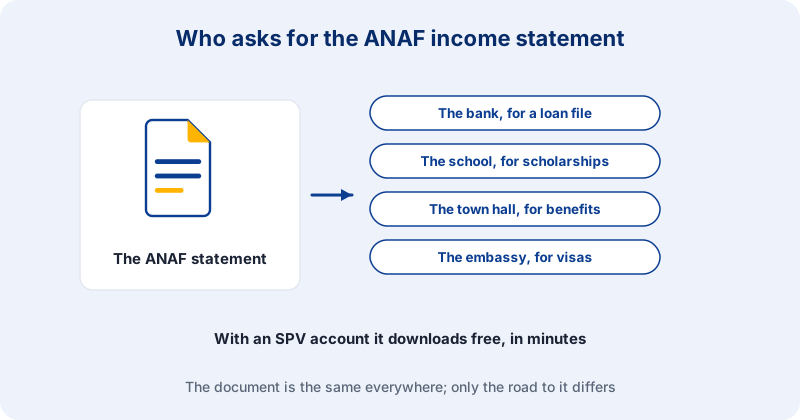
The adeverință de venit is the official income statement issued by ANAF, Romania's tax authority, certifying the income registered under your name for a given fiscal year. A bank asks for it in a mortgage file. A school asks for it for a scholarship. A council asks for it for social assistance, an embassy for a visa. The document is the same one every time: the official paper from ANAF, the Romanian tax authority, showing the income you had registered in a given tax year, whether from salary, self-employment, rent or pension. It is not hard to obtain. It just tends to require an account most people have not created.
The SPV route
If you have an account in SPV, ANAF's online portal, the income statement is a few clicks away and arrives electronically signed, usually the same day. The condition is having the account already working, with the password to hand, and that turns out to be a heavier condition than it sounds: most people remember SPV on the day they need the document.
Where it gets complicated
Creating an SPV account requires either video identification or a trip to a tax office counter, and people who did not do it in advance discover this at the exact moment they urgently need the statement. The counter route means opening hours, a queue ticket and, in the larger cities, a lost morning. For Romanians living abroad, and for foreigners who earned income in Romania and have since left, both routes are close to theoretical: SPV wants identification, the counter wants your presence.
The representative route
Romanian law allows the statement to be obtained through an authorised representative. Ordering it through acte-rapide.ro is paused for now; the page for the document will say when it is back. Whichever route you take, if you need statements for several years, each year is a separate request.
Details that prevent a second request
Ask the institution which tax year they want. Banks normally ask for the last completed year, sometimes the last two. Ask how recent the document has to be, because some institutions want it issued within the last 30 days, which means you should not pull it long before you file. And if the same file needs other tax documents, a tax record certificate for instance, request them together: the authorisation procedure is the same and everything arrives at once.
What the statement does not do
It reports income that was declared and registered with ANAF. Income that was never declared does not appear, and no service can make it appear, including this one. If your file needs to show earnings that were paid informally, the income statement is not the document that will do it, and the honest answer is to talk to the institution about what else they accept.
What the document contains
It shows the income recorded under your personal identification number for the tax year you ask for, with the source it came from, and it carries the issuing office and an electronic signature. It is a statement of record. It does not assess you, it does not comment on whether the amount is enough for what you are applying for, and it does not cover a year that is still running.
A statement showing nothing is still a statement
If you had no registered income in that year, ANAF issues a document saying exactly that, and for a good number of files this is the whole point. Social assistance files, legal aid applications and some scholarship files ask for the statement precisely to confirm an absence of income. People assume there is nothing to request because there is nothing to show. The absence is what the institution wants certified, and only ANAF can certify it.
The confusion that sends people back to the counter
An income statement from ANAF is not a salary certificate from your employer. The employer document states what that one employer paid you and is signed by the employer. The ANAF document states what was registered with the tax authority from every source and is signed by the tax authority. Institutions are usually specific about which of the two they want, and they are not interchangeable. Read the request before ordering anything, because if the letter says ANAF, an employer certificate will not close the file.
What to check the moment it arrives
Your name, your personal identification number and the tax year. A wrong year is the most common reason for a second request, and it almost always starts at the beginning rather than at our end: the institution said the last completed year and the applicant heard the current one. If you are unsure which year they meant, ask them before you order rather than ordering both.
If the file is going abroad
Documents issued in Romania and used in another country often need a sworn translation, and sometimes an apostille on top of it. Ask the receiving institution what they expect before you order, because each of those is a separate step with its own timing. None of it changes the statement itself. All of it changes how long your file takes, and it is the part people forget when they count backwards from a deadline.
Keep the file, do not just print it
The statement arrives as an electronically signed PDF, and the signature lives inside the file. Printing it produces a sheet of paper with no signature on it. Send the PDF wherever the institution accepts electronic documents, and keep the original file rather than only a printout, because if a question comes back months later you will want the signed version rather than a scan of a print.
Plan it before the deadline, not against it
The statement is the easy part of most files. The hard part is that it tends to be requested last, once everything else is assembled and the deadline is close. If you are building a mortgage file, a residence application or a scholarship file, put the income statement on the list at the start, together with the question of which year and how recent. Ordered early, it costs a day. Ordered late, it is the reason the file misses its date.
Online ordering for this document is temporarily paused while we rework it. The document page has the full details and the alternatives available today.
See document details →